Smart Variable in Prompt Template

Turn a frequently reused prompt into a flexible template. Mark the parts that change as variables, fill them in when you need the prompt.

Why Smart Variables can boost your productivity

Do you reuse certain prompts with small tweaks each time? You might change the product name, audience, domain, or scenario. Smart Variable lets you keep one template and fill in small differences every time you use it.

Some examples are as follows:

Example: A SaaS product manager need to generate various landing page outline for a new product ideas from time to time.

Generate a landing page outline for [productName] targeting [audience] in the [domain] space. Focus on [scenario] and include three key benefits.


Example: An software engineer need to commit code to GitHub from time to time.

git status && git add . && git commit -m "[commit message]" && git push

Create a Smart Variable in your prompt

  1. Create a new prompt or edit an existing one.
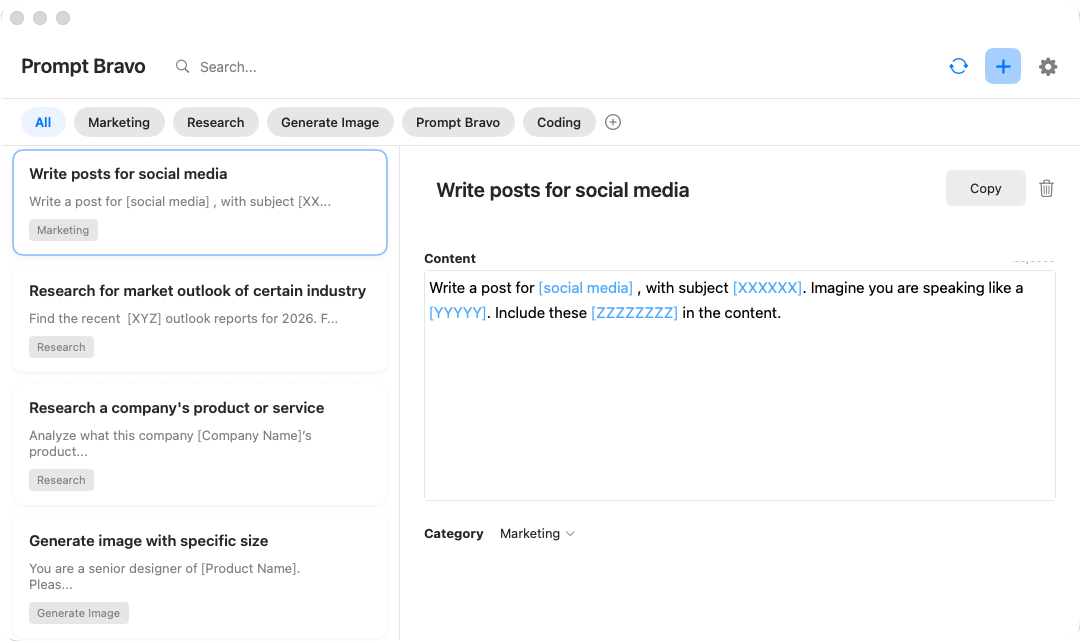
  2. Method 1: Wrap the changing parts with square brackets, for example [productName], [audience], [domain], [scenario].
  3. Prompt Bravo App Method 1: Wrapping changing parts with square brackets to create smart variables
  4. Method 2: Right click on the chaning part and select "Mark as Variable".
  5. Prompt Bravo App Method 2: Right-click context menu showing Mark as Variable option
  6. Prompt Bravo App now knows which parts should be filled each time.

Use your prompt template with Smart Variables in seconds

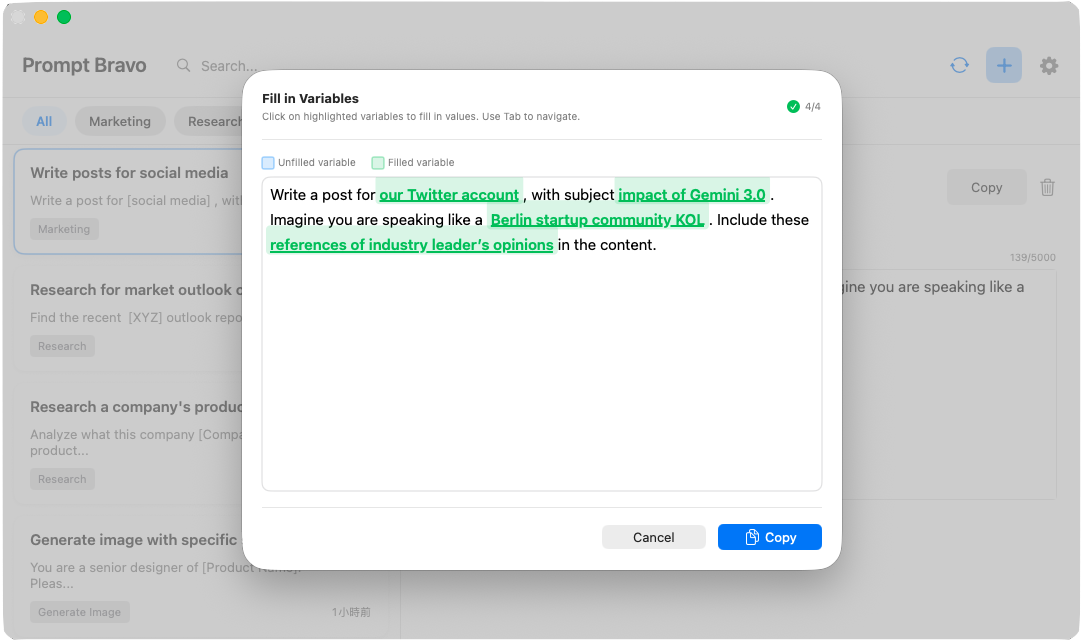
  1. When you copy a prompt that contains variables, Prompt Bravo will show you input fields for each Variable.
  2. Input the values and confirm. The prompt is generated with your inputs.
  3. Copy in one click and paste the prompt into ChatGPT, Claude, or any other AI tools to run your command.
Prompt Bravo App Smart Variables in action - showing dynamic placeholders and template usage
Prompt Bravo App Fill in Variables dialog - interactive prompt for entering variable values

Common Smart Variables to start with

  1. [productName] for different products or features.
  2. [audience] for roles such as marketers, developers, or executives.
  3. [domain] for industry or topic such as fintech or education.
  4. [scenario] for the situation such as onboarding, launch, or renewal.

Benefits of using Smart Variable in your prompt template

  1. Reusability one template covers many cases.
  2. Speed fill values once and move on.
  3. Consistency keep structure and tone the same across tasks.
  4. Fewer errors avoid old names or details sticking around.

Frequently Asked Questions

Need Help?

Can't find what you're looking for? Our support team is here to help.
Please click the "Contact Support" button below and fill in the form.
(The support email will be active soon!)
We will get back to you as soon as possible

Smart Clipboard to Manage AI Prompts

Save, organize, and access useful prompts instantly with Prompt Bravo