Stop searching through scattered notes or chat history. Build a clean, centralized library for every prompt you use.
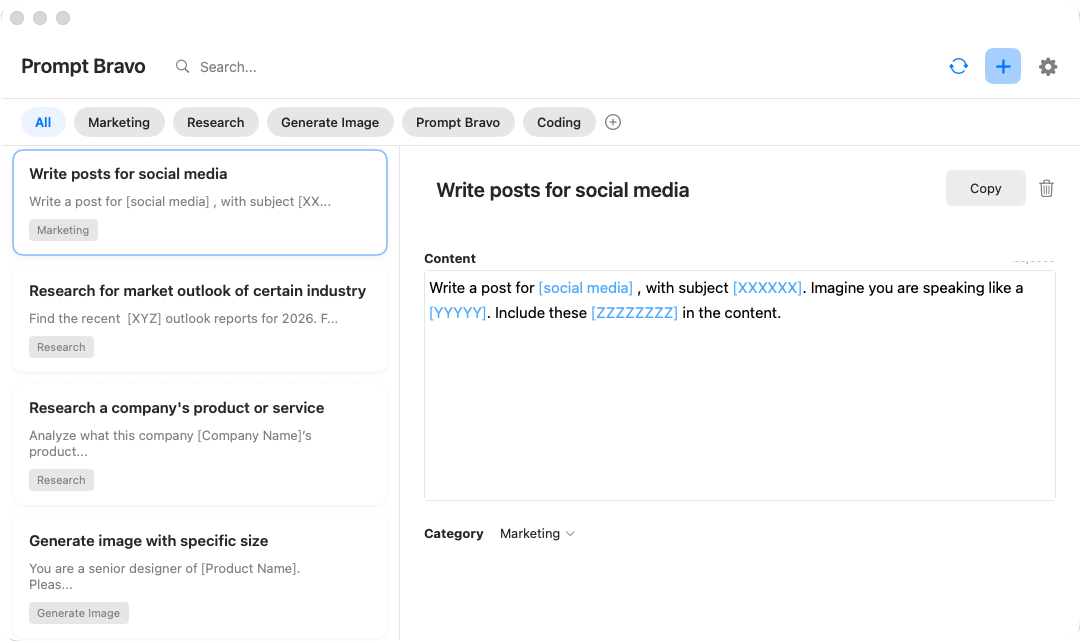
Centralized Library: Keep all your prompts in one secure place. No more lost ideas or fragmented workflows.
Easy Organization: Create custom categories to group prompts by use case—coding, writing, marketing, or research.
Instant Search: Find exactly what you need in seconds with a powerful search that scans titles and content.
Stay in your flow. Access your entire prompt library without ever leaving your current application.
Global Shortcut: Use Command + Option + P to summon Prompt Bravo instantly from anywhere on your Mac.
One-Click Copy: Select a prompt and copy it to your clipboard immediately.
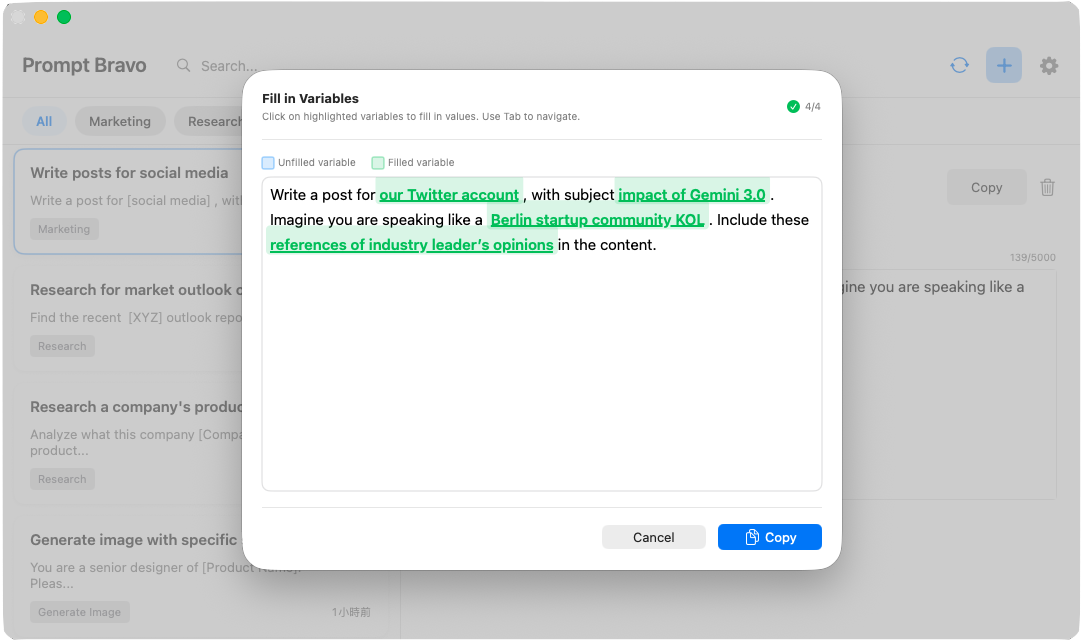
Turn static text into dynamic, reusable templates. Create prompts that adapt to different contexts automatically.
Dynamic Placeholders: Define variables in your prompt using [variable_name] syntax.
Fill on the Fly: When you select a template, Prompt Bravo asks you to fill in the variables before copying.
Reusable Power: Perfect for recurring tasks like email responses, code refactoring, or content generation where the structure stays the same but the details change.
Can't find what you're looking for? Our support team is here to help.
Please click the "Contact Support" button below and fill in the form.
(The support email will be active soon!)
We will get back to you as soon as possible
Save, organize, and access useful prompts instantly with Prompt Bravo
